Page 1 of 1
notepad++ syntax highlingting for EViews
Posted: Sat Nov 24, 2012 5:06 am
by maxchen
syntax highlighting
Line numbering
Highlight the current parenthesis level when editing (useful when nested).
Highlight the current line
Collapse blocks, such as IF, FOR, WHILE or subroutines blocks
the configure file
- EViews7.xml.7z
- User Defined Language File
- (2.47 KiB) Downloaded 1659 times
some screen shot
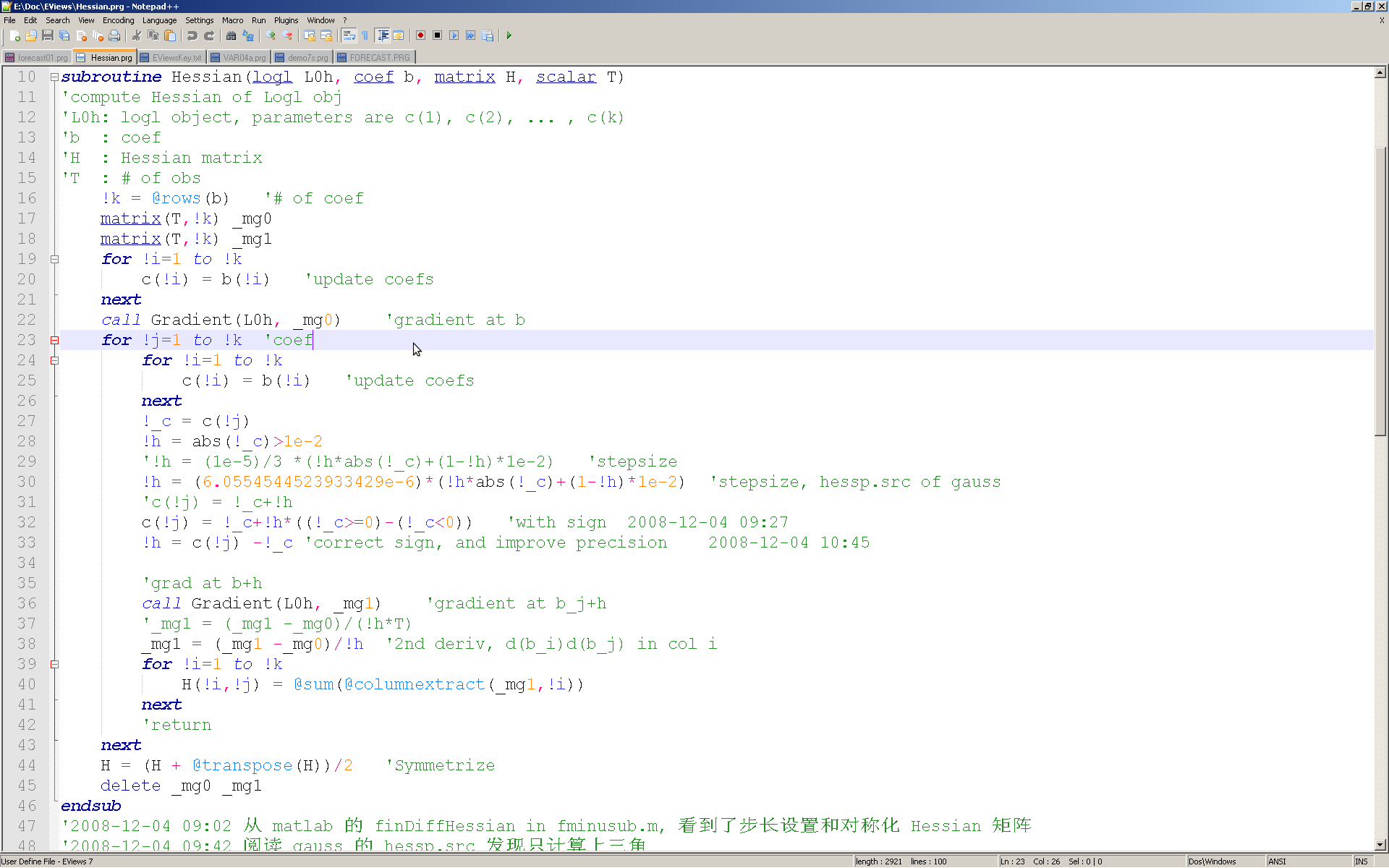
- screen shot
- Np++EV7-01.png (64.57 KiB) Viewed 33988 times
Collapse blocks
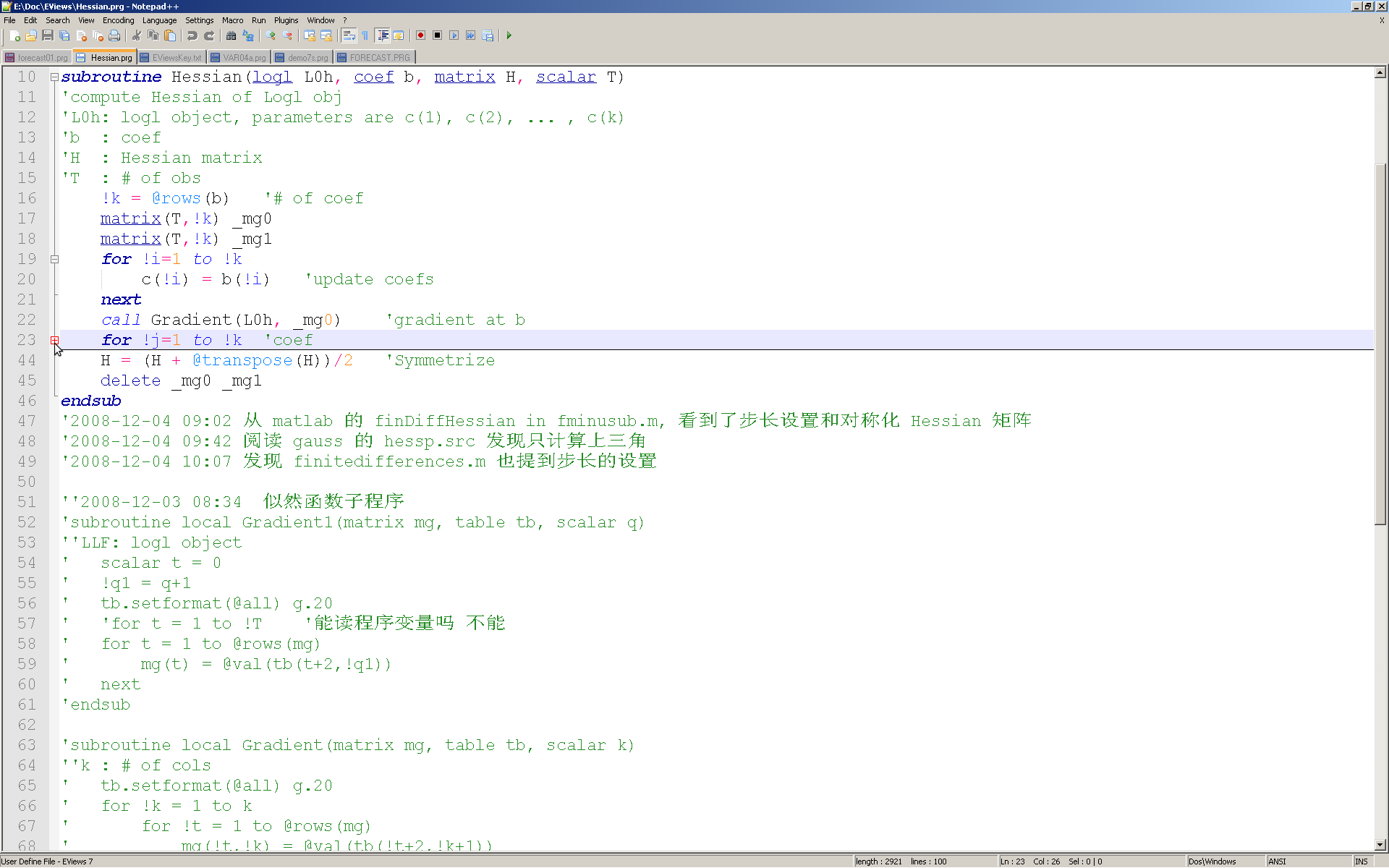
- Collapse "FOR" block
- Np++EV7-02.png (61.6 KiB) Viewed 33988 times
The screen short are from notepad++ 6.2.2,
http://download.tuxfamily.org/notepadpl ... imalist.7z
Or you can find one custom-made by me:
http://forums.eviews.com/viewtopic.php?f=5&t=7098
one issue to resolve: see the line 36 or 38, the number is part of the name of variable, but highlight as a number
Re: notepad++ syntax highlingting for EViews
Posted: Fri Jun 28, 2013 2:09 am
by maxchen
there is one annoying bug: identify the " if condition" as "if block"
Re: notepad++ syntax highlingting for EViews
Posted: Sat Jun 29, 2013 6:15 am
by maxchen
The semisolution would be to define closing "Folding in comment" keyword, see
https://sourceforge.net/p/notepad-plus/ ... /56132212/
Re: notepad++ syntax highlingting for EViews
Posted: Tue Aug 06, 2013 12:40 am
by paues
One potential solution would be to have "then" be the trigger word for if statements rather than "if".
Re: notepad++ syntax highlingting for EViews
Posted: Tue Sep 10, 2013 5:29 pm
by maxchen
One potential solution would be to have "then" be the trigger word for if statements rather than "if".
thanks, great!
Re: notepad++ syntax highlingting for EViews
Posted: Tue Sep 10, 2013 5:50 pm
by maxchen
update to npp 6.4.5, and for EViews 8.
you can import the language definition file and keep your npp version
- EV8-npp.xml.7z
- xml configure file only
- (2.51 KiB) Downloaded 1073 times
for full working package (npp.6.4.5.bin.minimalist.7z and add some plugins, see
http://forums.eviews.com/viewtopic.php?f=5&t=7098)
upzip the attachment, and double click the notepad++.exe will do.
- Npp645-EV8.7z
- full working green package
- (899.46 KiB) Downloaded 1142 times
custom shortcuts
F1: insert time stamp (yyyy-mm-dd hh:mm)
F6: run current file (C:\EViews8\EViews8.exe" in shortcuts.xml should be changed according to your installation of EViews)
F9: save (if change) and run current file
Re: notepad++ syntax highlingting for EViews
Posted: Sun Oct 27, 2013 5:12 am
by maxchen
minor update:
1 notepad++ to ver 6.5
2 add few keywords for syntax highlingting
if your old version works, you are safe to ignore this update.
Re: notepad++ syntax highlingting for EViews
Posted: Thu Jun 18, 2015 1:45 am
by dagfinnrime
Hi,
thanks for making this available.
I already have NotePad++ installed for other purposes. Which files do I need to take from your "full" setup in order to make it similar?
Solution?
Just copy into my existing notepad++-folder and keep any files with same name?
Thanks
Dagfinn
Re: notepad++ syntax highlingting for EViews
Posted: Sat Jun 20, 2015 6:29 pm
by maxchen
Maybe you can try
1 extract
http://forums.eviews.com/download/file.php?id=2113 and run the notepad++.exe (close all your running np++ first)
2 export the language definition of EViews as EV.xml
3 exit the notepad++, and launch your original notepate++, import the EViews language
4 copy the RunMeU.dll and NppTimestamp.dll to plugins sub-dir of your original np++
Good luck!
PS: I remember that the background color of np++ is global, you can adjust the color scheme.
Re: notepad++ syntax highlingting for EViews
Posted: Thu Jul 02, 2015 6:34 am
by maxchen
For EViews 9
import the language definition file, and keep your npp version
- EV9-npp.xml.7z
- xml configuration file only
- (2.6 KiB) Downloaded 1433 times
if your old version works, you are safe to ignore this update (just import the language definition file, and delete your EViews 8 language definition in np++ ).
- Npp65-EV9.7z
- Notepat++ 6.5 for EViews 9: full working green package
- (987.15 KiB) Downloaded 1318 times
Re: notepad++ syntax highlingting for EViews
Posted: Thu May 27, 2021 8:04 pm
by Alfred123
A very nice try!
1. Could you update the notepad++ version for EViews 10 and 11?
2. I am wondering: can I run the EViews code in the notepad directly?
Thanks a lot!